SaaS Development Cost & Architecture Planning: The Complete 2026 Guide
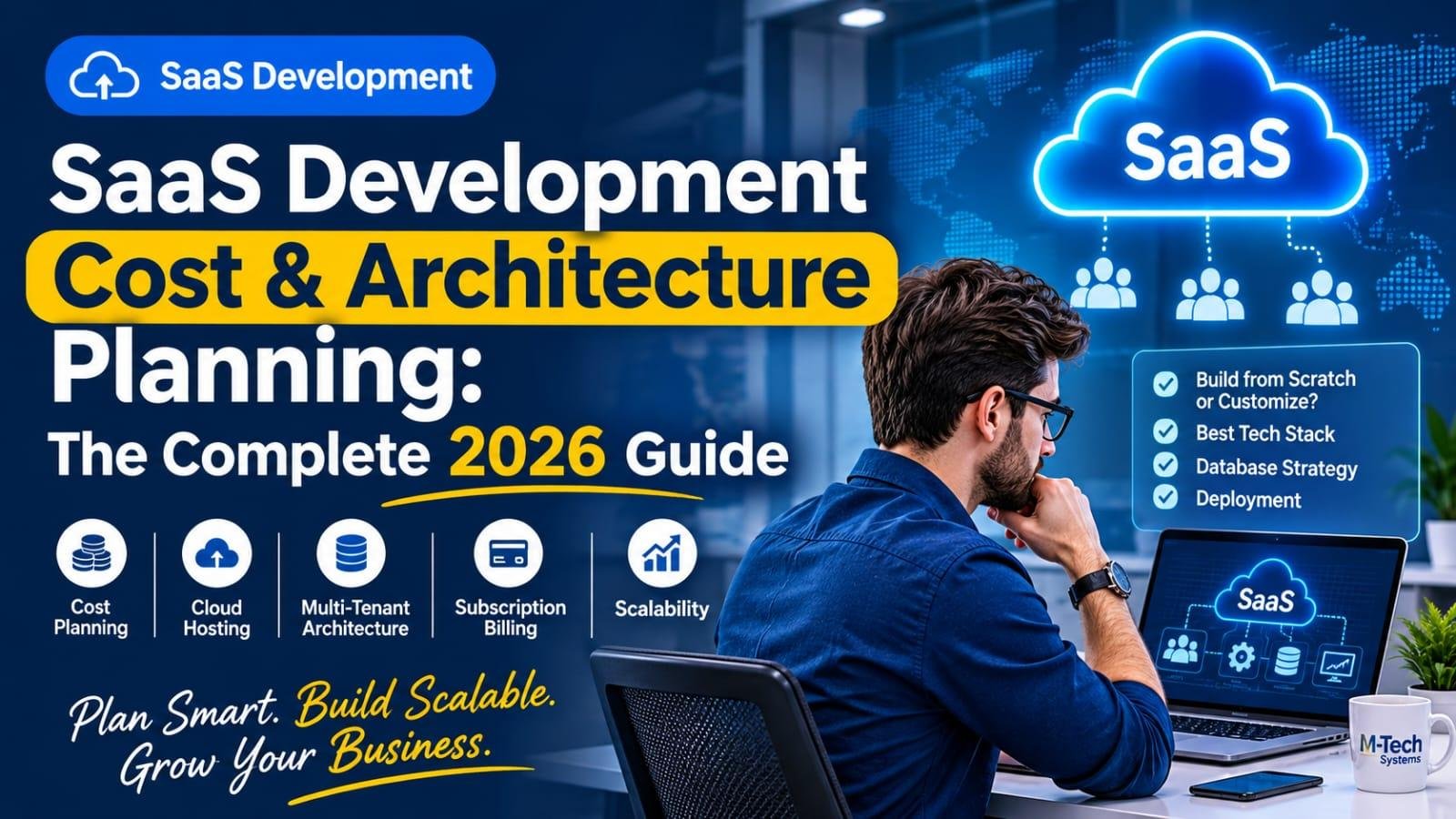
SaaS Development Cost & Architecture Planning: The Complete 2026 Guide
Building a Software-as-a-Service (SaaS) product is an exciting opportunity for startups, entrepreneurs, and established businesses. SaaS platforms allow companies to deliver software through the cloud, manage subscriptions, serve multiple customers, and generate recurring revenue.
However, developing a successful SaaS application requires more than writing code. You need the right architecture, database structure, subscription management system, cloud infrastructure, security strategy, and development roadmap.
One of the most common questions SaaS founders ask is: How much does it cost to build a SaaS application in 2026?
The answer depends on your product requirements, technical complexity, integrations, scalability expectations, and development approach.
In this guide, we will explore SaaS development costs, architecture planning, multi-tenant database strategies, subscription billing, cloud infrastructure, and how to reduce development time without compromising software quality.
1. What Is SaaS Development?
Software-as-a-Service (SaaS) is a software delivery model where customers access applications through the internet, usually using a web browser or mobile application.
Instead of purchasing and installing software on individual computers, customers subscribe to a hosted platform.
Popular examples include CRM systems, project management platforms, accounting applications, communication tools, and business management software.
A typical SaaS application includes:
- User registration and authentication
- Subscription and payment management
- Customer dashboards
- Role-based access control
- Multi-tenant data management
- Administrative management panels
- Reporting and analytics
- API integrations
- Cloud hosting and deployment
For businesses, SaaS offers centralized software management, easier updates, and the ability to serve customers from different locations.
2. How Much Does It Cost to Build a SaaS Application in 2026?
SaaS development costs vary significantly depending on the features, architecture, technology stack, and development team.
A basic SaaS application with essential functionality requires a different investment compared to a complex enterprise platform with advanced automation, multiple integrations, and high-availability infrastructure.
The major cost components include:
A. UI/UX Design
The design phase defines how users interact with your application.
It includes:
- User journey planning
- Dashboard design
- Wireframes and prototypes
- Responsive layouts
- User experience optimization
B. Backend Development
Backend development handles the core application logic.
It may include:
- Authentication systems
- Business workflows
- Database operations
- API development
- User permissions
- Multi-tenant management
C. Frontend Development
The frontend is the part of the application users interact with.
It includes dashboards, forms, tables, charts, navigation, and responsive interfaces.
D. Database Architecture
Database design is essential for storing and organizing customer information securely.
The architecture must support data separation, efficient queries, backups, and future growth.
E. Subscription and Billing Integration
A SaaS platform may require:
- Monthly and annual subscriptions
- Free trials
- Recurring billing
- Payment gateway integration
- Invoices and transaction records
- Subscription upgrades and cancellations
F. Testing and Deployment
Before launching, the application needs functional testing, security checks, performance testing, deployment configuration, and monitoring.
G. Ongoing Maintenance
After launch, you should budget for hosting, backups, updates, bug fixes, monitoring, and future feature development.
Important: There is no universal SaaS development price. Request a project estimate based on your actual feature list, infrastructure requirements, and expected user volume rather than relying on generic online cost estimates.
3. Build from Scratch vs. Customizing a Ready-Made SaaS Solution
One of the most important decisions is whether to develop your SaaS product from scratch or customize an existing software foundation.
Building SaaS from Scratch
This approach involves developing the application according to your exact business requirements.
Advantages:
- Complete control over architecture
- Custom business workflows
- Flexible feature development
- Control over integrations
- Greater freedom in product design
Considerations:
- Longer development timelines
- Higher initial engineering effort
- More extensive testing
- Greater responsibility for architecture decisions
Customizing a Ready-Made SaaS Solution
Another option is to start with an existing software platform or tested SaaS boilerplate and customize it.
Advantages:
- Faster initial development
- Reusable application components
- Reduced repetitive engineering work
- Faster time to market
- Potentially lower initial development effort
Considerations:
- Existing architecture limitations
- Customization requirements
- Dependency on third-party components
- Licensing and source code ownership checks
The right approach depends on your product requirements, available budget, development timeline, and long-term business strategy.
4. Understanding Multi-Tenant SaaS Architecture
Multi-tenancy is one of the most important concepts in SaaS development.
A multi-tenant application allows multiple customers, known as tenants, to use the same software platform while maintaining appropriate separation of their data and permissions.
For example, imagine a CRM SaaS platform used by 100 different companies.
Each company should have access only to its own:
- Customers
- Employees
- Sales records
- Business reports
- Documents
- Settings
The platform manages these separate customer environments through a shared application architecture.
A properly designed multi-tenant system can simplify software maintenance, infrastructure management, and application updates.
Important Components of Multi-Tenant Architecture
A typical architecture includes:
- Central tenant management
- Tenant identification
- User authentication
- Tenant-specific permissions
- Data isolation
- Subscription management
- Centralized administration
- Monitoring and logging
Security must be considered at every layer to prevent one tenant from accessing another tenant's information.
5. Database-per-Tenant vs. Shared Database Architecture
Choosing the correct database strategy is a major technical decision.
There are two common approaches.
A. Shared Database with Tenant Identification
In this model, multiple customers share the same database.
Each tenant's records are associated with a tenant identifier, such as tenant_id.
Advantages:
- Centralized database management
- Efficient infrastructure utilization
- Easier centralized schema updates
- Suitable for many standard SaaS applications
Challenges:
- Strict tenant-level access controls are essential
- Queries must consistently enforce tenant boundaries
- Large workloads may require careful optimization
B. Separate Database for Each Tenant
In this model, each customer has a separate database.
Advantages:
- Stronger database-level separation
- Independent backup and restoration options
- Tenant-specific database management
- Greater flexibility for certain enterprise requirements
Challenges:
- More complex infrastructure management
- Database provisioning overhead
- Schema updates across multiple databases
- Potentially higher operational costs
Which Architecture Should You Choose?
A shared database can be suitable for products with many customers and similar requirements.
Database-per-tenant may be appropriate when customers require stronger isolation, independent data management, or specific enterprise arrangements.
The decision should consider security, compliance, infrastructure costs, customer requirements, and expected growth.
6. Choosing the Right Technology Stack for SaaS Development
The technology stack directly affects performance, scalability, development speed, and long-term maintenance.
A modern SaaS application may use the following technologies:
Backend Development
Laravel, Node.js, Django, and other backend frameworks can support SaaS application development.
Laravel is particularly useful for applications that require:
- Authentication
- Database management
- API development
- Queue processing
- Background jobs
- Role and permission management
- Subscription workflows
Frontend Development
React, Vue.js, and modern JavaScript frameworks can be used to build responsive SaaS dashboards and user interfaces.
Database
Common database options include:
- MySQL
- PostgreSQL
- MariaDB
The best option depends on data relationships, application requirements, performance expectations, and development expertise.
Cloud Infrastructure
Cloud platforms provide the infrastructure required to host, deploy, and scale SaaS applications.
Options include AWS, DigitalOcean, and other cloud infrastructure providers.
API and Integration Layer
APIs connect SaaS applications with payment gateways, communication platforms, CRM systems, external services, and other business tools.
The architecture should make integrations secure, maintainable, and reliable.
7. Planning Cloud Infrastructure and Hosting Costs
Cloud infrastructure is an ongoing operational expense for SaaS businesses.
Your infrastructure requirements depend on the number of users, database size, storage requirements, traffic, background processing, and application performance.
Typical infrastructure components include:
- Application servers
- Database servers
- File storage
- Backups
- Domain and SSL configuration
- CDN services
- Monitoring tools
- Load balancing
- Email and notification services
AWS vs. DigitalOcean
AWS provides a broad range of cloud services and infrastructure options suitable for applications with complex scaling and infrastructure requirements.
DigitalOcean offers simpler cloud infrastructure options that may suit startups and smaller SaaS products.
Neither platform is automatically the best choice for every application.
Evaluate infrastructure based on performance, availability, technical requirements, operational complexity, and total cost.
Start with infrastructure that meets your current needs while allowing room for future expansion.
8. Why Subscription Billing Is Essential for SaaS
Subscription billing is the foundation of the recurring revenue model.
A SaaS platform should be able to manage customer subscriptions throughout their lifecycle.
Important subscription features include:
- Monthly and annual plans
- Free trial management
- Plan upgrades and downgrades
- Subscription renewals
- Payment tracking
- Failed payment handling
- Invoice generation
- Cancellation management
- Subscription expiration notifications
You may also need usage-based billing, where customers pay according to their usage of specific features or services.
Your payment integration should support the currencies, payment methods, tax requirements, and markets relevant to your customers.
9. How to Make Your SaaS Application Scalable
Scalability means your application can handle increasing users, transactions, and workloads without unacceptable performance problems.
A scalable SaaS architecture should consider:
Database Optimization
Use appropriate indexes, efficient queries, caching, and database monitoring.
Background Jobs
Move time-consuming operations such as email notifications, report generation, and large data imports into background queues.
Caching
Caching can reduce repeated database operations and improve application response times.
Load Balancing
Load balancing can distribute application traffic across multiple servers when needed.
Monitoring
Monitor application performance, server resources, errors, database health, and service availability.
Security
Implement authentication, authorization, secure APIs, data isolation, and regular security updates.
Scalability should be planned according to realistic business growth expectations rather than unnecessary infrastructure complexity from day one.
10. How CI/CD Improves SaaS Development
Continuous Integration and Continuous Deployment (CI/CD) help development teams automate software testing and deployment processes.
A typical CI/CD pipeline may include:
1. Developer commits code to a Git repository.
2. Automated checks and tests are executed.
3. The application is built.
4. The deployment pipeline prepares the release.
5. Changes are deployed to staging or production.
6. The application is monitored after deployment.
CI/CD reduces repetitive manual work, improves deployment consistency, and helps teams deliver updates more efficiently.
Tools such as GitHub Actions, GitLab CI/CD, and other automation platforms can support these workflows.
11. Common Mistakes to Avoid When Building a SaaS Product
Many SaaS projects face problems because important technical and business decisions are postponed.
Avoid these common mistakes:
- Starting development without clear product requirements
- Ignoring multi-tenant data security
- Choosing an unsuitable database architecture
- Underestimating hosting and maintenance costs
- Building unnecessary features before validating demand
- Ignoring subscription lifecycle management
- Skipping automated testing
- Neglecting backup and recovery planning
- Overengineering the initial product
- Failing to plan for future integrations
A well-planned minimum viable product (MVP) can help you validate your business idea before investing heavily in advanced features.
12. SaaS Development Roadmap: From Idea to Launch
A structured development roadmap makes the process easier to manage.
Phase 1: Business Research and Planning
Identify your target customers, market requirements, competitors, product objectives, and revenue model.
Phase 2: Product Requirements
Prepare the feature list, user roles, workflows, technical requirements, and MVP scope.
Phase 3: UI/UX Design
Create wireframes, prototypes, and application screens.
Phase 4: Architecture and Development
Design the database, backend, frontend, APIs, authentication, and tenant management system.
Phase 5: Testing and Quality Assurance
Test application functionality, permissions, tenant isolation, performance, and security.
Phase 6: Deployment
Configure hosting, domain, SSL, backups, monitoring, and production environments.
Phase 7: Launch and Continuous Improvement
Collect user feedback, monitor performance, improve features, and expand the platform as customer requirements evolve.
13. Should You Build a SaaS Product from Scratch or Use an Existing SaaS Foundation?
The best development strategy depends on your business model.
If your product requires completely unique workflows, complex integrations, or specialized functionality, custom development may be the right approach.
If your requirements are more standard, a tested software foundation may help reduce repetitive development work.
Before choosing, evaluate:
- Source code access
- Licensing terms
- Customization flexibility
- Security practices
- Documentation
- Third-party dependencies
- Scalability limitations
- Maintenance requirements
Always verify the software's actual capabilities and licensing before building your business around it.
Conclusion
Building a successful SaaS application requires a clear understanding of development costs, architecture, database strategy, cloud infrastructure, subscription billing, and scalability.
The right technical decisions can help reduce unnecessary engineering work, improve application reliability, and support long-term business growth.
Whether you are launching a new SaaS startup, transforming an existing business process into a subscription platform, or developing a white-label software product, proper planning is essential.
At M-Tech Systems IT Services, we help businesses plan and develop customized software solutions based on their operational and technical requirements.
Planning to Build Your Own SaaS Platform?
M-Tech Systems IT Services provides technology solutions to help businesses turn software ideas into practical digital products.
Our services include:
- Custom SaaS Development
- Multi-Tenant Application Development
- Custom Software Development
- Web Application Development
- API Integration
- Business Process Automation
- White-Label Software Development
Whether you need a new SaaS platform, a custom business application, or an existing software solution customized for your business, our team can help you plan the right development approach.
Ready to discuss your SaaS project?
Contact M-Tech Systems - https://mtechsystems.co.in
Explore SaaS Development Services - https://mtechsystems.co.in/services/saas-development
Frequently Asked Questions (FAQs)
1. How much does it cost to develop a SaaS application in 2026?
SaaS development costs depend on features, architecture, integrations, security requirements, design, and infrastructure. A detailed project estimate requires understanding the product requirements and expected usage.
2. How long does it take to build a SaaS platform?
A basic MVP may take several weeks to a few months, while complex SaaS platforms may require several months or longer. Timelines depend on scope, integrations, team size, and testing requirements.
3. What is multi-tenant SaaS architecture?
Multi-tenant architecture allows multiple customers to use the same software application while maintaining separation of their data, users, permissions, and business environments.
4. Which database is best for SaaS development?
MySQL and PostgreSQL are commonly used for SaaS applications. The right choice depends on the application's data structure, workload, scalability requirements, and technical architecture.
5. Is Laravel suitable for SaaS development?
Laravel provides features such as authentication support, database management, queues, APIs, and background processing that can be used to develop SaaS applications. Additional architecture and security planning are required for production-ready multi-tenant platforms.
6. What is the difference between single-tenant and multi-tenant SaaS?
A single-tenant system typically provides a dedicated application environment for one customer. A multi-tenant system serves multiple customers through a shared application architecture with appropriate data isolation.
7. Can I customize a ready-made SaaS application?
Yes, provided the software license and architecture allow customization. Review source code access, ownership terms, dependencies, and customization limitations before purchasing.
8. What are the ongoing costs of running a SaaS application?
Ongoing expenses may include cloud hosting, databases, backups, monitoring, payment gateway fees, security updates, maintenance, and customer support.
9. Why is CI/CD important in SaaS development?
CI/CD automates parts of software testing and deployment, helping development teams release updates more consistently and reduce manual deployment work.
10. Can a SaaS application scale as my business grows?
Yes. With appropriate database design, caching, infrastructure planning, monitoring, and performance optimization, a SaaS application can be designed to support increasing customers and workloads.